★ #1 IPTV Media Player
Stream Smarter with
Smarters IPTV Pro
The ultimate streaming experience — 4K quality, full EPG support, and seamless playback across all your devices. One app. Every screen. Zero compromise.
- ✓ True 4K & HDR streaming with hardware acceleration
- ✓ Live EPG guide + Catch-Up TV built right in
- ✓ Works on Android, iOS, Windows, macOS & Smart TVs
ESPN 4K
Champions League
HBO Max
House of the Dragon
Sky Sports
Premier League · 00:30
Why Upgrade to Smarters IPTV Pro?
Unlock the ultimate streaming experience with advanced features built for performance and reliability.
True 4K & HDR Streaming
Experience cinema-grade visuals with full 4K Ultra HD and HDR10 support. Hardware-accelerated decoding ensures smooth, buffer-free playback on every compatible device.
Multi-Screen Support
Watch on up to 5 devices simultaneously — Android, iOS, Windows, macOS, and Smart TVs. One subscription, every screen in your home, with no quality compromise.
Advanced EPG & Catch-Up TV
Never miss a show with a fully-loaded 7-day Electronic Program Guide. Catch-Up TV lets you replay past broadcasts on demand, directly inside the app.
| Feature | Basic (Free) | Smarters Pro |
|---|---|---|
| Picture-in-Picture Mode | ✖ | ✔ |
| Master Search Across All Content | ✖ | ✔ |
| Parental Control & PIN Lock | ✖ | ✔ |
| Offline Viewing & Download | ✖ | ✔ |
| 7-Day EPG & Catch-Up TV | Limited | ✔ Full Access |
How to Install Smarters IPTV Pro
Quick and easy setup guides for all your favorite streaming devices.
Amazon Firestick & Fire TV
- Go to Settings → My Fire TV → Developer Options and enable Apps from Unknown Sources.
- From the Home screen, search for and install the Downloader app by AFTVnews.
- Open Downloader, enter the official Smarters IPTV Pro APK URL, and tap Go.
- When prompted, tap Install, then Open to launch the app and enter your IPTV credentials.
Android TV & Smartphones
- On your device, open Settings → Security and enable Install Unknown Apps for your browser.
- Open your browser and download the latest Smarters IPTV Pro APK directly from the official source.
- Locate the downloaded file in your Downloads folder and tap it to begin installation.
- Tap Install, open the app, and connect using your Xtream Codes login or M3U playlist URL.
Smart TVs — Samsung Tizen & LG WebOS
- On Samsung: open Smart Hub → navigate to the Apps section and search for Smarters IPTV Pro. On LG: open the LG Content Store and search directly.
- Select the app from the results and press Install to begin downloading to your TV.
- Once installed, launch the app and select Add New User to enter your IPTV provider details.
- Choose your playlist type (Xtream API or M3U URL), enter your credentials, and press Add User.
Windows PC & macOS
- Visit the official Smarters IPTV Pro website and click Download for Windows or Download for Mac to get the installer.
- On Windows, run the .exe installer and follow the setup wizard, clicking Next and then Finish. On Mac, open the .dmg file and drag the app to your Applications folder.
- Launch Smarters IPTV Pro, click Add New User, and enter your IPTV provider’s Xtream Codes login or paste your M3U URL.
- Click Add User to load your full channel list, VOD library, and EPG guide instantly.
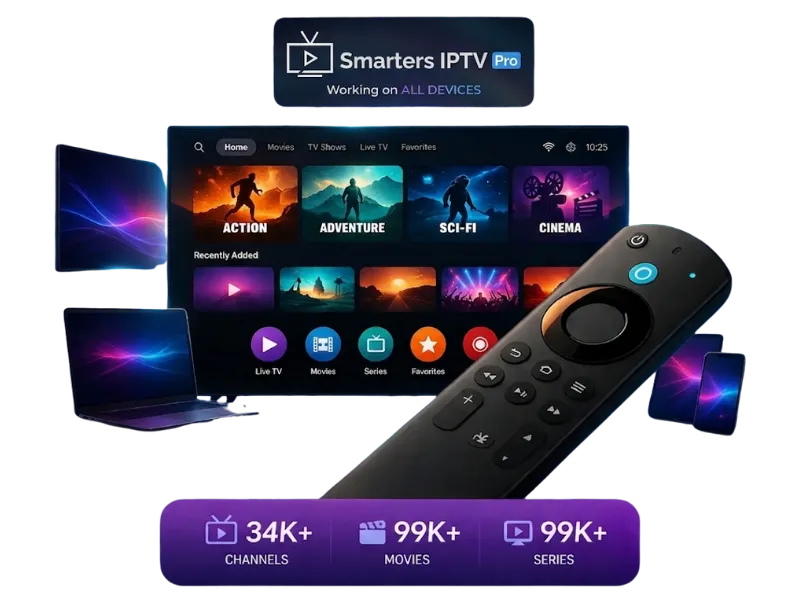
Your Gateway to 20,000+ Global Channels in USA, UK & Canada
Experience Next-Level Streaming with Smarters IPTV Pro
Step into the future of television. With the Smarters IPTV Pro app, you can seamlessly integrate your IPTV provider’s playlist and enjoy a massive variety of live sports, movies, and VODs. Whether you are looking for the best IPTV in the USA or premium European channels, our app delivers a lag-free experience from standard HD to breathtaking True 4K Quality.
Why Choose Smarters Pro?
- Massive Compatibility: Works flawlessly on Android, iOS, Windows, Mac, and is fully optimized for Firestick IPTV setup.
- Advanced EPG Integration: Stay updated with a beautifully designed Electronic Program Guide. Never miss your favorite shows.
- Anti-Freeze Technology: Built with robust architecture to handle Xtream Codes API smoothly, ensuring buffer-free streaming.
- Multi-Screen & PIP: Watch up to 4 streams simultaneously on one screen. Perfect for live sports events.
Quick Fixes & Troubleshooting
Solve the most common streaming errors in seconds with our verified solutions.
Authorization Failed & Invalid Details
This error occurs when your IPTV provider credentials are entered incorrectly, your subscription has expired, or the server URL has changed on the provider’s end. It is one of the most reported issues across all Smarters IPTV Pro users.
- Open the app, tap Manage User, and carefully re-enter your Xtream Codes login — double-check for extra spaces in the Username, Password, and Server URL fields.
- Contact your IPTV provider to confirm your subscription is active and request a fresh M3U URL or updated portal credentials, then tap Update User to save.
- If the error persists, go to Settings → App Info → tap Clear Cache and Clear Data, then re-add your account from scratch.
EPG (TV Guide) Not Loading
The Electronic Program Guide fails to load when the EPG URL is missing, outdated, or when the app has not been given enough time to fetch and parse the full guide data from your provider’s server.
- Inside the app, go to Settings → EPG Settings and verify that a valid EPG URL is entered. If the field is empty, request the correct XMLTV URL from your IPTV provider and paste it, then tap Save.
- Tap Force EPG Reload (or remove and re-add your playlist) to trigger a fresh fetch — allow up to 3 minutes for large EPG files to fully parse.
- If the guide still shows blank, disable any active VPN connection temporarily, as some VPN exit nodes block EPG data servers, then reload.
Black Screen or Constant Buffering
A black screen or continuous buffering spinner is almost always caused by a mismatch between the stream format and the app’s decoder, a slow network connection, or server-side congestion on your provider’s infrastructure during peak hours.
- Tap the Settings icon while a stream is open and switch the player decoder from Software to Hardware (or vice versa) — this resolves the majority of black screen cases caused by codec incompatibility.
- Go to Settings → Stream Optimization and reduce the buffer size or enable Adaptive Bitrate mode to automatically match stream quality to your available bandwidth.
- Run a speed test on your device — a stable connection of at least 25 Mbps is required for 4K streams. If speeds are low, restart your router or connect via Ethernet instead of Wi-Fi for a stable signal.

Available on All Your Devices
Download Smarters IPTV Pro for your preferred platform and start streaming in seconds.
Choose the Plan That Suits You
Stream everything. Miss nothing. Choose your subscription plan below and get instant access to 20,000+ live channels and premium VODs.
1 Month Plan
Package features
- 20,000+ Live Channels
- Premium VOD Library
- PPV Sports Included
- 4K / FHD Quality
- 99.9% Server Uptime
- All Devices Supported
- Support 24/7
3 Months Plan
Package features
- 20,000+ Live Channels
- Premium VOD Library
- PPV Sports Included
- 4K / FHD Quality
- 99.9% Server Uptime
- All Devices Supported
- Support 24/7
6 Months Plan
Package features
- 20,000+ Live Channels
- Premium VOD Library
- PPV Sports Included
- 4K / FHD Quality
- 99.9% Server Uptime
- All Devices Supported
- Support 24/7
12 Months Plan
Package features
- 20,000+ Live Channels
- Premium VOD Library
- PPV Sports Included
- 4K / FHD Quality
- 99.9% Server Uptime
- All Devices Supported
- Support 24/7
Loved by Thousands of Cord-Cutters Worldwide
Don’t just take our word for it. See what our global community of sports fans and movie lovers has to say about our premium IPTV service.
“Finally, buffer-free Premier League! Setup on my Firestick took 2 minutes. The 4K quality is unbelievable during live matches.”
“Switched from standard cable and I’m saving over $100 a month. The VOD library has every new movie I search for. Highly recommended!”
“Customer support actually replies! Had a small issue with my MAG box setup, and they fixed it via WhatsApp in under 5 minutes.”
“Been burned by bad IPTVs before that freeze during big UFC fights. This one is the real deal. Zero drops. Anti-freeze tech works.”
“Love the EPG (TV Guide) and Catch-up feature. I work late shifts so being able to watch yesterday’s news and shows is perfect.”
“Works flawlessly on my Apple TV using IPTV Smarters. Instant delivery of the M3U link right after payment. 10/10 service.”
“Massive selection of international channels. I can finally watch my local home country news while living abroad. Perfect connection.”
“I got the 12-month subscription after trying the 24h trial. Best investment for my smart TV. The picture quality is crisp and stable.”
“The best worldwide IPTV provider I’ve tested. No buffering during Sunday NFL games. Exactly what I was looking for.”
“Clean layout, no hidden fees, and the VOD section is updated weekly. Watching the latest series has never been easier.”
“I travel a lot for business. Having this app on my iPad means I never miss my hometown sports, no matter what hotel I’m in.”
“Bought the 2 Connections plan so my kids can watch cartoons in their room while I watch sports in the living room. Amazing value.”
Stream 140K+ Movies & Series with Smarters Pro
Enjoy the newest movies and TV shows from around the world in crystal-clear 4K/FHD with our premium IPTV subscription service.

Why Smarters IPTV Pro is the Gold Standard in 2026
In the evolving landscape of digital entertainment, Smarters IPTV Pro has emerged as the most reliable and sophisticated media player for users globally. Whether you are based in the USA, UK, or Canada, the demand for high-quality, lag-free streaming is at an all-time high. Our platform is meticulously engineered to handle massive 4K content libraries without compromising on speed or user interface clarity.
As an industry leader, Smarters IPTV Pro integrates advanced anti-freeze technology, ensuring that your live sports and cinematic experiences remain uninterrupted. By utilizing the Xtream Codes API and M3U playlist compatibility, we provide a seamless bridge between your premium subscription and your favorite hardware, including Amazon Firestick, Android TV, and Apple devices. Our commitment to excellence is what defines the professional standard of IPTV today.

Unmatched Features for Modern Cord-Cutters
Optimizing your home theater setup requires more than just a playlist; it requires a robust ecosystem. Smarters IPTV Pro offers a suite of professional features such as Multi-Screen support, Parental Controls, and an automated EPG (Electronic Program Guide) that keeps you updated on upcoming events. These tools are designed to provide a “Cable-like” experience but with the flexibility and power of modern internet protocol television.
Security and accessibility are the pillars of our service. We strongly recommend pairing your Smarters IPTV Pro experience with a high-speed internet connection of at least 25Mbps to fully unlock 4K HDR capabilities. Our technical architecture supports external players and subtitles, making it the most versatile tool for international viewers. When you choose our premium server, you are not just getting a trial; you are entering a world of limitless, high-definition entertainment backed by 24/7 expert support.

Frequently Asked Questions
Everything you need to know about Smarters IPTV Pro and our premium plans.
What is Smarters IPTV Pro and how is it different from the free version?
Smarters IPTV Pro is a premium IPTV media player that goes far beyond the basic free version. While the free plan supports standard M3U playlist playback, the Pro and Lifetime plans unlock true 4K and HDR streaming, a full 7-day Electronic Program Guide (EPG), Catch-Up TV, Picture-in-Picture mode, Parental Controls, Master Search, and multi-screen support across up to 5 simultaneous devices. It is the complete streaming solution built for users who demand performance and reliability.
Is Smarters IPTV Pro legal to use?
Yes. Smarters IPTV Pro is a fully legal media player application, in the same category as VLC or Kodi. The app itself does not host, distribute, or provide access to any content. It is a player — you supply your own IPTV subscription from a third-party provider. The legality of the content you stream depends entirely on your chosen IPTV service provider and the licensing agreements they hold in your country. Always use a licensed and legitimate IPTV provider to remain fully compliant with your local laws.
Which devices does Smarters IPTV Pro support?
Smarters IPTV Pro is built for true cross-platform compatibility. It runs natively on Android smartphones and tablets (Android 7.0+), Android TV boxes, Amazon Firestick and Fire TV, Apple iPhone and iPad (iOS 14.0+), Apple TV (tvOS), Windows 10 and 11 PCs, macOS 11 Big Sur and later, Samsung Smart TVs (Tizen OS 4.0+), and LG Smart TVs (WebOS 4.0+). One Pro or Lifetime license covers all your devices under a single account.
Does Smarters IPTV Pro support M3U playlists and Xtream Codes?
Yes, fully. Smarters IPTV Pro supports both major IPTV connection standards out of the box. You can connect using an M3U URL provided by your IPTV subscription service, or log in directly using Xtream Codes API credentials (username, password, and server URL). The app also supports multiple simultaneous playlists, meaning you can manage several different IPTV subscriptions from a single, unified dashboard without switching accounts.
What is Anti-Freeze technology and how does it improve streaming?
Anti-Freeze is an intelligent adaptive buffering engine built into Smarters IPTV Pro that continuously monitors your real-time connection quality and automatically adjusts the stream’s bitrate and buffer depth to prevent freezing and interruptions. Unlike basic players that lock into a fixed stream quality, Anti-Freeze dynamically steps down resolution during temporary bandwidth drops — then seamlessly restores full 4K or HD quality the moment your connection stabilizes. The result is a smooth, uninterrupted viewing experience even on inconsistent or congested network connections.
Can I use Smarters IPTV Pro on multiple devices at the same time?
Yes. The Pro Premium plan supports simultaneous streaming on up to 5 devices under a single account. The Lifetime plan extends this further with unlimited device activations, making it the ideal choice for households with multiple TVs, phones, and tablets. Each device maintains its own watch history and EPG preferences, keeping your experience personal and synchronized across your entire setup.
Do you offer a refund if I am not satisfied?
Yes. We offer a 7-day money-back guarantee on both the Pro Premium and Lifetime plans, no questions asked. If you are not completely satisfied with your purchase within the first 7 days, simply contact our support team with your order details and we will process a full refund promptly. We are confident in the quality of Smarters IPTV Pro, but we believe you should have the freedom to try it completely risk-free before committing long-term.
How do I install Smarters IPTV Pro on Amazon Firestick?
Installing Smarters IPTV Pro on Firestick takes under three minutes. First, go to Settings → My Fire TV → Developer Options and enable Apps from Unknown Sources. Next, search for and install the Downloader app by AFTVnews from the Amazon App Store. Open Downloader, enter the official Smarters IPTV Pro APK download URL, tap Go, and follow the on-screen prompts to install. Once installed, open the app and enter your IPTV provider credentials to start streaming immediately.
Is an IPTV subscription included with my purchase?
No. Smarters IPTV Pro is a standalone media player application only — your purchase covers the app license and all its premium features. An IPTV content subscription from a third-party provider is required separately to access live TV channels, VOD movies, and series. Once you have a subscription, your provider will supply you with either an M3U URL or Xtream Codes login credentials, which you enter directly into Smarters IPTV Pro to load your full content library.
How do I update Smarters IPTV Pro to the latest version?
Updates are delivered automatically through your platform’s app store on iOS, Android, Samsung, and LG devices — simply ensure automatic updates are enabled in your store settings. On Firestick and sideloaded Android APK installations, you will receive an in-app notification when a new version is available, with a direct link to download the latest APK. Pro Premium subscribers receive priority update access, while Lifetime license holders receive all future updates permanently at no additional cost.